Public beta · Windows
Less searching. More understanding.
Atlas Reader is a fast, local-first PDF reader and research library for people who study deeply. Your next idea might be buried in a thousand-page book or scattered across a hundred PDFs. Atlas brings your books together, gives you a calm place to read, and helps you build a lasting path back to what matters.
Inside the app
See it before you download it
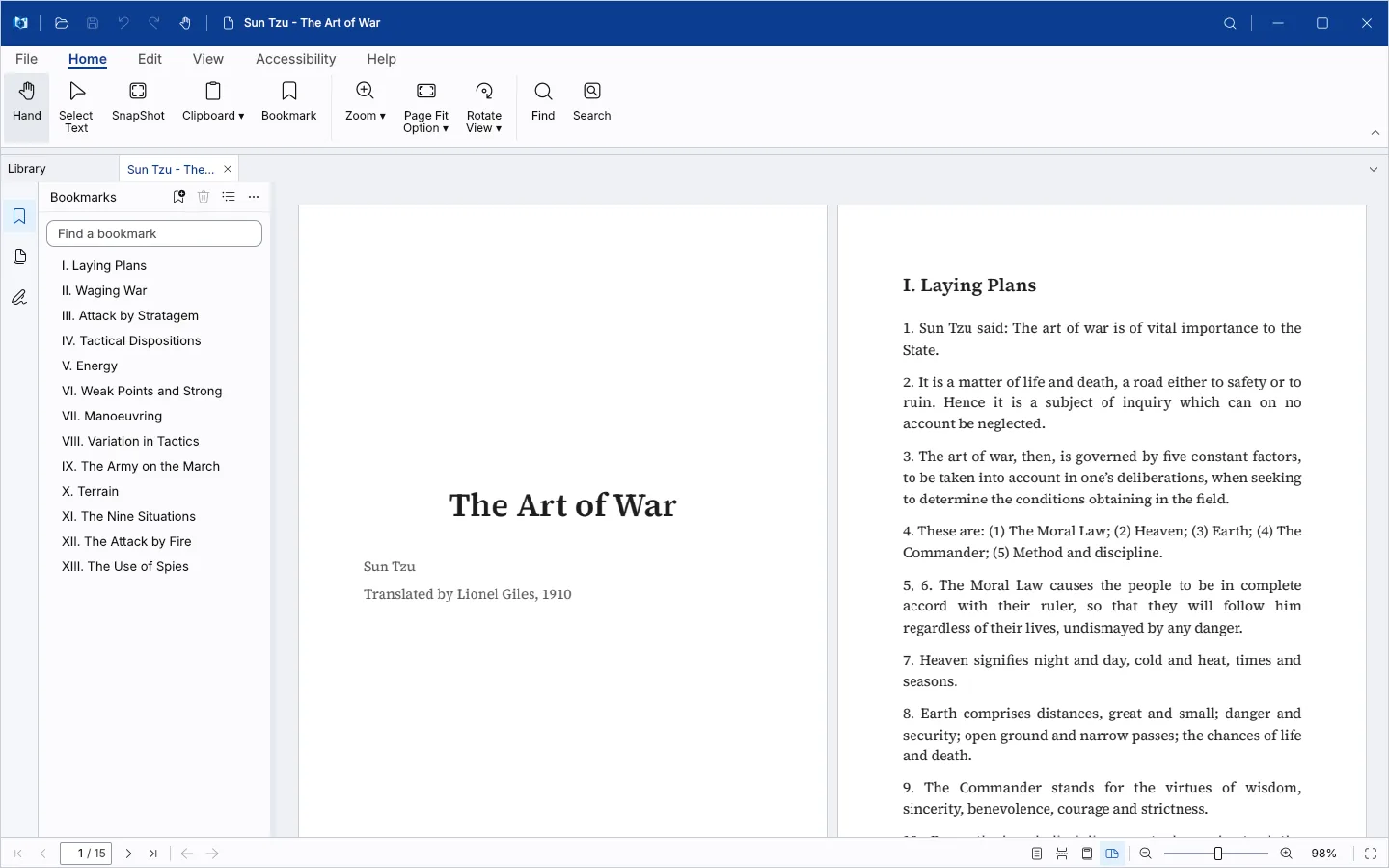
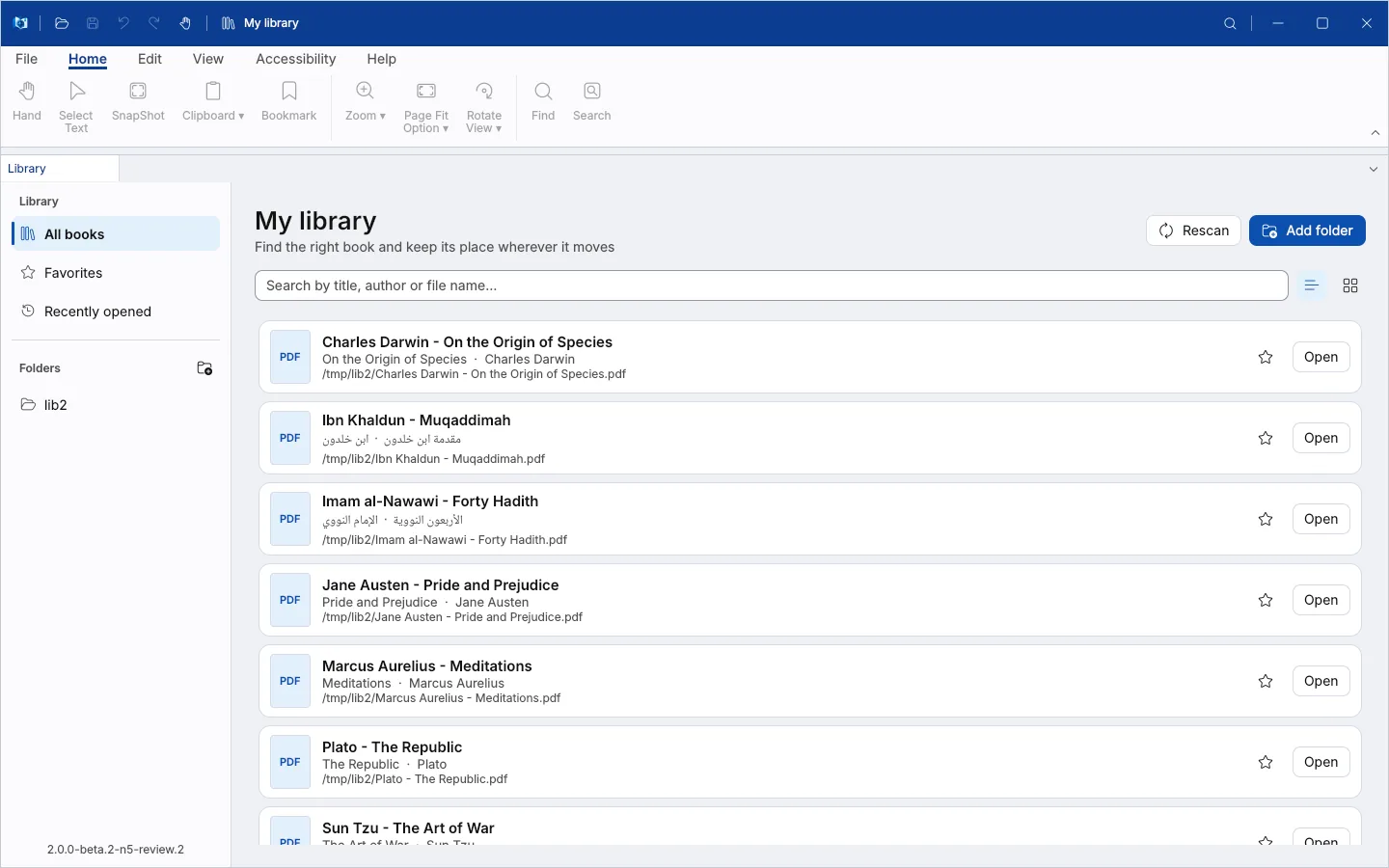
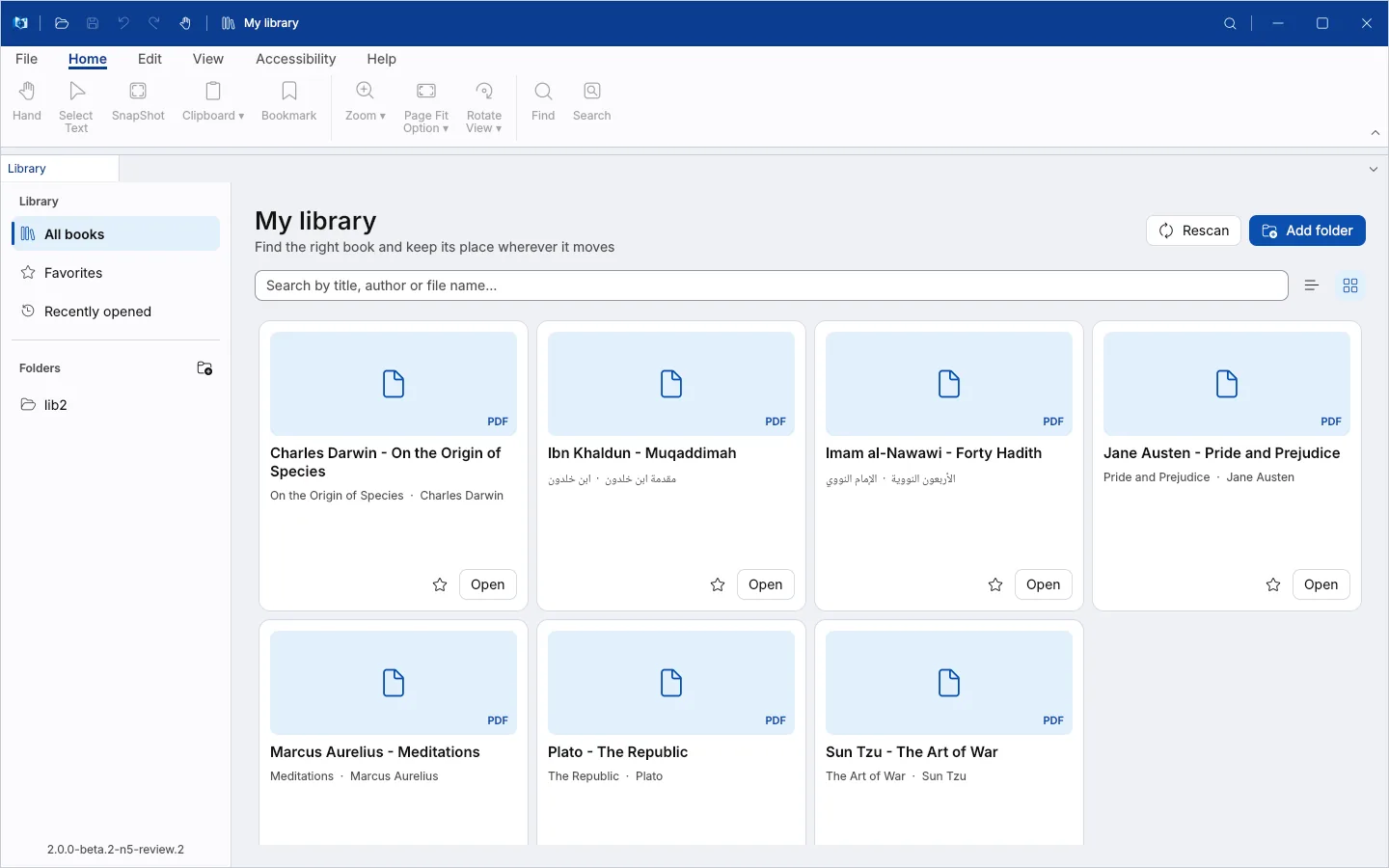
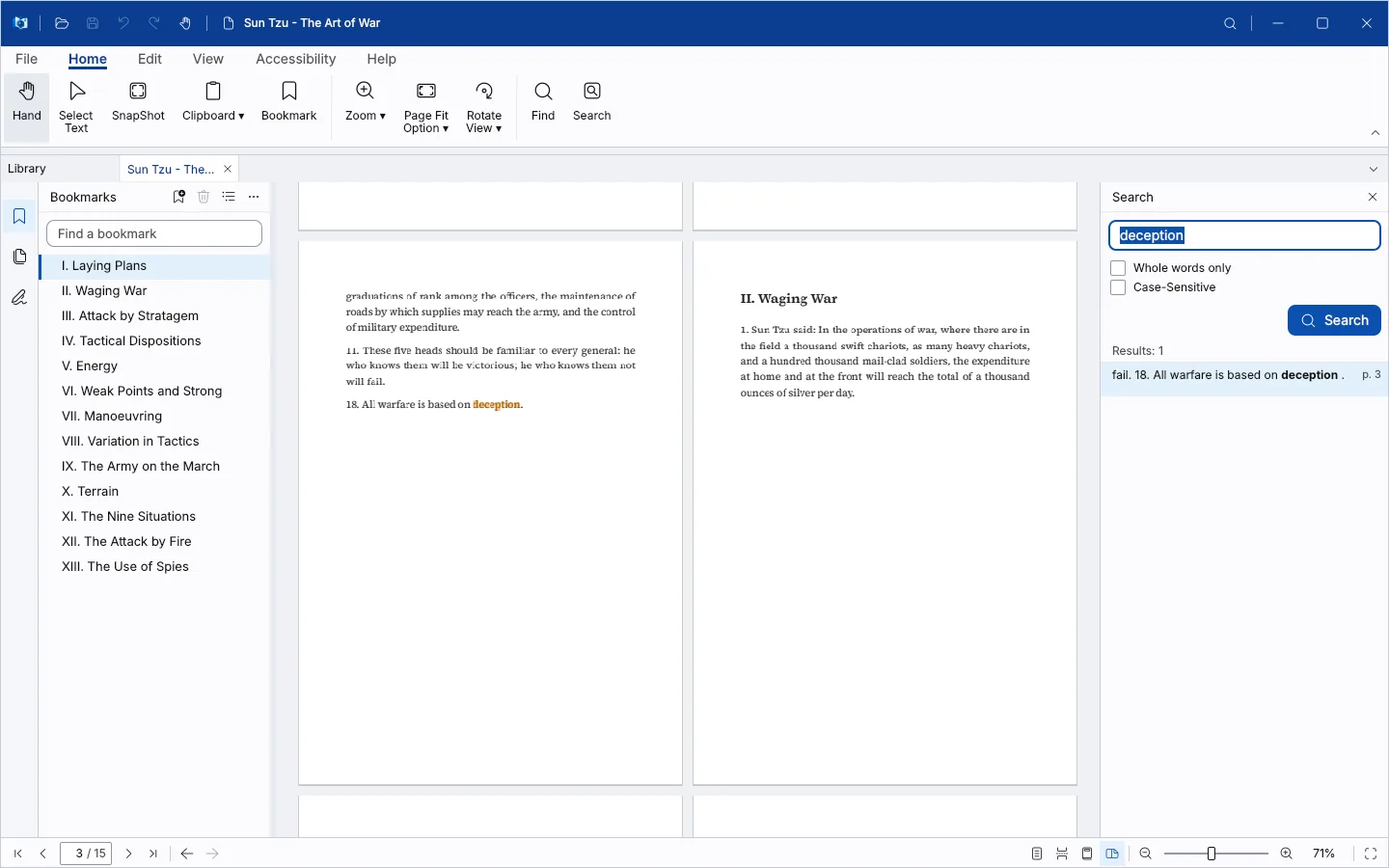
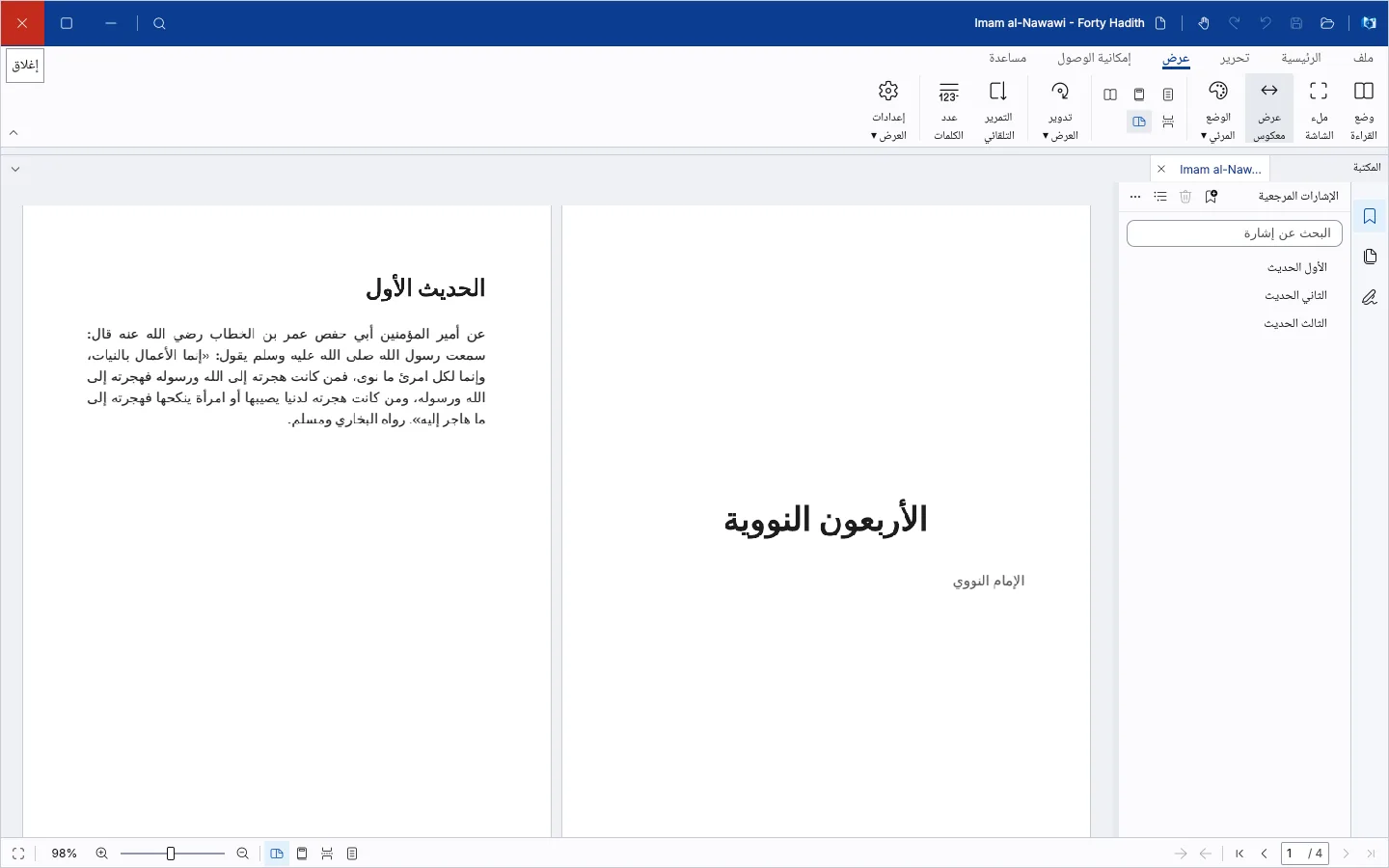
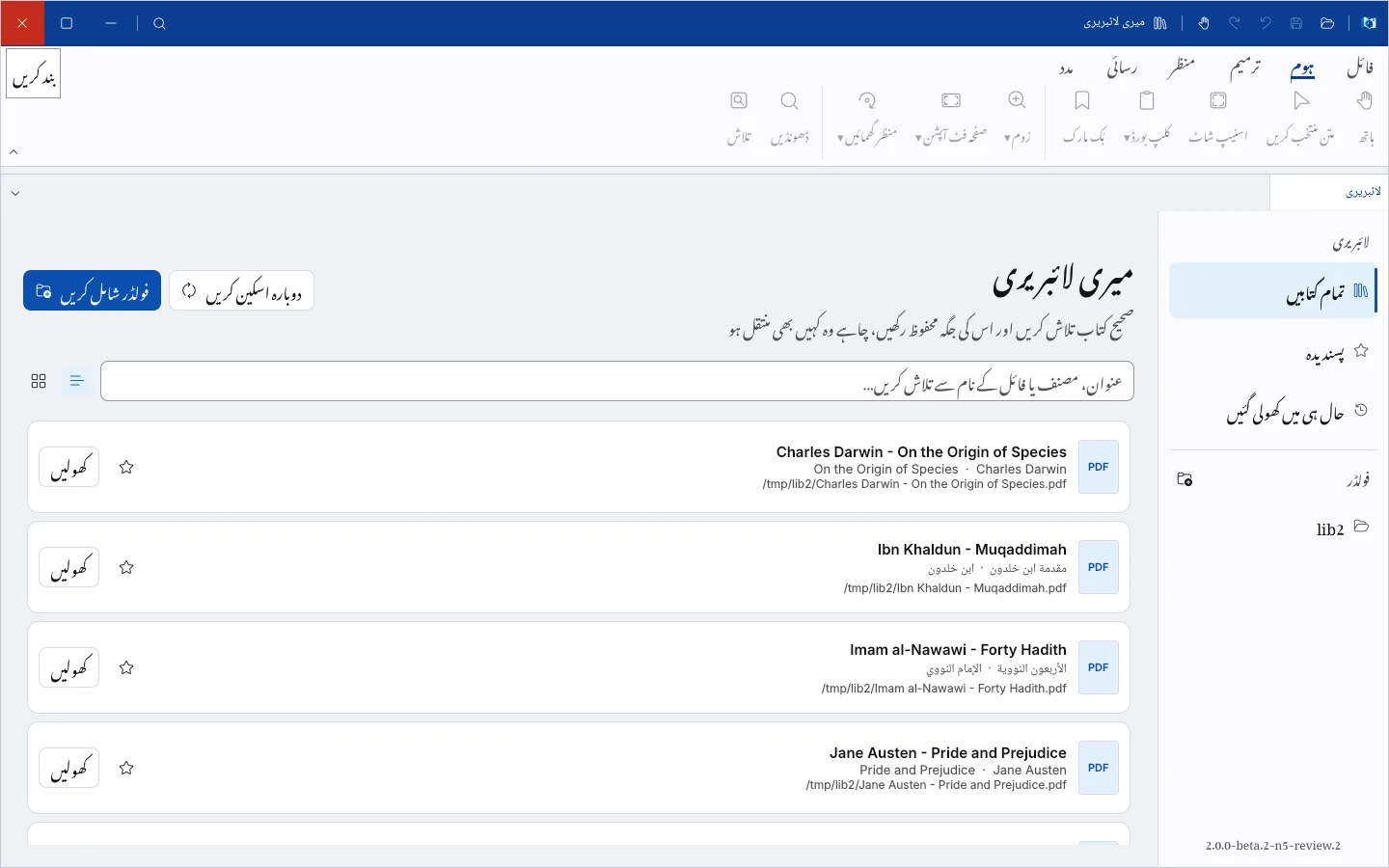
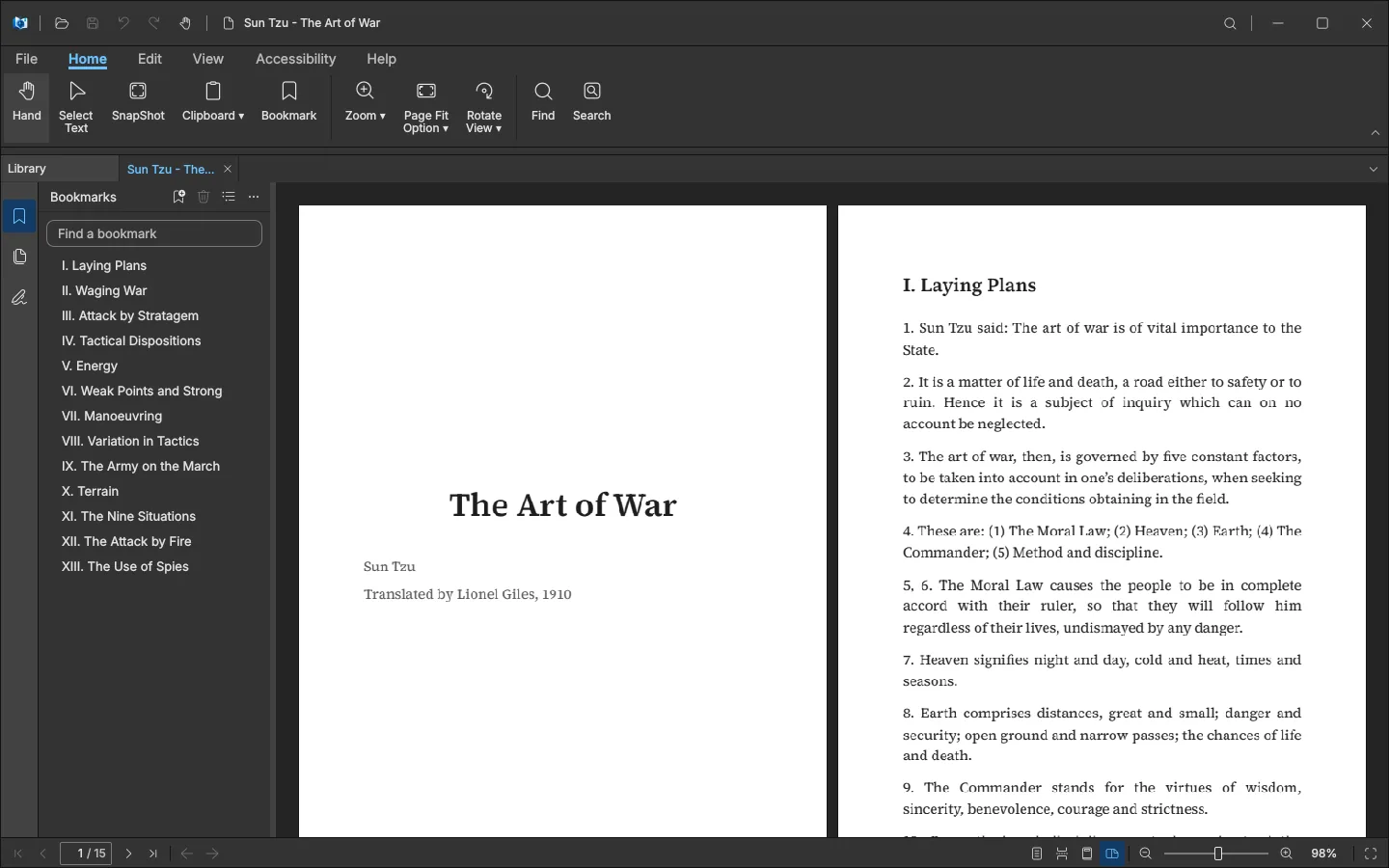
Real screenshots of build 2.0.0-beta.2-n5-review.2, taken on 10 November 2026 with a sample library of public-domain books.
Use the arrow keys or swipe to move between screens.
What version 2.0 will be
One place for the books you study from.
Your books, together
One searchable library across all your folders and drives. It keeps track of books when you move them or unplug a drive.
Reading with room to think
A quiet, fast reading workspace with tabs, search, outline and thumbnails. Long books stay smooth.
Bookmarks with depth
Organise a book into nested research paths, find any bookmark across your whole library, and keep them even when the PDF itself can’t be changed.
Your marks on the page
Pen, highlighter, notes and comments that open in other PDF readers too.
English, Arabic and Urdu
Switch the whole app between English, العربية and اردو at any time, with proper right-to-left layouts and Nastaliq for Urdu.
Any language in your notes
Bookmarks, notes, tags and search accept every script and keep it exactly as you typed it, including mixed Arabic and English.
Progress
Built in the open, stage by stage.
Each stage is finished, checked and released before the next one starts. Nothing is marked done until it has been tested.
3 of 8 stages done
Latest release: 2.0.0-beta.2. Progress as of 8 November 2026.
- Done
Foundation
Windows app shell, toolchain and PDF engine
- Released in beta 1
Library
Folders, background indexing, search, Favorites and Recents
- Released in beta 2
Reader
Reading PDFs with tabs, search that understands Arabic and Urdu, outline and thumbnails
- In progress
Bookmarks
Full bookmark editor, a local fallback for locked PDFs, import and export
- Planned
Pen and notes
Ink, highlights and comments
- Planned
Everyday tools
Printing, covers, sorting and collections
- Planned
Backup
Backup, restore and moving over from the old app
- Planned
Polish and release
Language and accessibility checks, speed, installer and the stable 2.0
How it is built
Portable when possible. Local when necessary.
Research data comes first. These rules decide every trade-off in the product.
Never lost silently
No false “saved” message, no blind overwrite. If something can’t be saved into the PDF, Atlas keeps it locally and tells you.
Offline and private
No account, no cloud, no tracking. Your research stays on your computer and can be backed up.
The interface never waits
Indexing, rendering and saving run in the background, so reading stays smooth with large books and large libraries.
Familiar, not invented
A desktop workspace laid out like the PDF tools serious readers already know.
Questions about Atlas Reader
Want to try it? Download the beta from GitHub (opens in a new tab) or join the early-access list.
Does it find Arabic words with or without vowel marks?
Yes. Search is built for Arabic and Urdu: it finds a word whether or not the book prints the vowel marks, and treats alef forms, taa marbuta and tatweel as the same, without changing the book. It cannot search scanned pages that have no text layer; those need OCR first.
Is it free?
Yes. Atlas Reader is free, needs no account and keeps everything on your computer. Its own code is open source under the MIT licence.
Can I use Atlas Reader today?
There is a public beta for early evaluation. It has the library and the reader. Bookmark editing, notes and saving are still being built, so it is not yet a replacement for your daily reader. You can download it from the Atlas Reader releases page on GitHub.
Which devices does it run on?
Windows 11 first. EPUB and other formats, and versions for Android, Linux, macOS and iOS, are planned after version 2.0.
When will version 2.0 be released?
No release date has been announced. Progress is published stage by stage, and this page is updated when a stage is released.
Does it send my files anywhere?
No. Version 2.0 has no accounts, no uploads and no tracking. Everything stays on your computer.
Who makes it?
Atlas Reader is built and published by DerekSol. The same team designs and builds software for clients.
Guides
Help for readers of big libraries
Practical guides from the team that builds Atlas Reader.
Start here
Need software like this?
Atlas Reader is built by the same team that builds for clients. Tell us what your organisation needs and we’ll reply with questions, ideas and a clear next step.
- A reply from a real person
- Written quote before work starts
- You own everything at handover