Website fix, redesign, speed and search
IslamicHistory.info
A research website on early Islamic history, by Dr Farasat Latif. We are fixing and redesigning it within its existing brand, rebuilding its search setup and making every page quick on phones.
- What we did
- Website audit · UI and UX fixes · Search (SEO) · Speed · Content structure
- Sector
- Islamic history research and writing
- Where
- United Kingdom
- Founder and editor
- Dr Farasat Latif
- Type
- Client project
- Status
- Live · In progress
- Built with
- WordPress, All in One SEO, LiteSpeed Cache
Who it’s for
Readers looking for referenced answers on early Islamic history, the caliphs, hadith and the sects, and the site’s founder and editor, Dr Farasat Latif (PhD, University of Leeds), who publishes the articles.
The problem
The articles were strong, but the website around them was letting them down. The contact form sent nothing, old addresses led to missing pages, names were spelled several different ways, there were no About, policy or topic pages, and visits from search had fallen sharply since late 2025. The brand itself had to stay exactly as it was.
Problems we solved
A contact form that sent nothing
The form had no mail settings, so every message was lost. Fixed and tested until a message reached the inbox.
Lost addresses
Old links from search and social media led to missing pages. Each now redirects to the right article.
Names spelled five ways
One spelling system for names and terms across the site, and a search that finds an article whichever spelling is typed.
No one to trust
No About, editorial policy or author information. Now each article shows who wrote it and how the site checks its sources.
Slow on phones
Images, styles and scripts reworked so pages open quickly on a phone without changing how they look.
How we approached it
Audit before touching anything
We read the site’s search data, every plugin and every article first, then wrote a numbered list of what to fix and why, in the order that mattered most.
Back up, then fix one thing at a time
A full backup came first. Each change was made live one at a time and written into a fix log: what it was, what it looked like before, and how to undo it.
Keep the brand, fix the experience
The logo, colours and voice stayed. We changed what readers meet on the way: the menu, the article pages, the topic pages and the footer.
Make it findable and quick
Titles and descriptions rewritten, redirects for lost addresses, structured pages for the author and the editorial policy, then the speed work: modern image formats, critical styles first and scripts loaded later.
What was built
We started with a full audit and a backup, then worked through a numbered list of fixes, logging every change with a way to undo it. The site now has a working contact form, redirects for old addresses, About, editorial-policy and legal pages, a Topics page, a clearer menu and footer, an author box, and article pages with an “In brief” summary, a table of contents and related reading. One spelling system now runs across the whole site, and pages load quickly on phones.
- Full audit, backup and a logged list of every change, each with a way to undo it
- Contact form repaired and tested end to end
- Redirects for old and broken addresses, and internal links corrected
- About, editorial policy, start-here, terms and privacy pages
- Topics page and a simpler menu: Home · Topics · Articles · About · Contact
- One spelling system for names and terms, with search that finds other spellings too
- “In brief” boxes, tables of contents and related reading on articles
- Google PageSpeed phone scores of about 95–100 on the pages we tested
Process
From brief to handover
How the work moved, step by step.
Audit and backup
Search data, WordPress set-up, every article and the reader’s path, checked and written up as a numbered work order. A locked full backup taken before any change.
Urgent fixes
The contact form, which had no mail settings, was repaired first, then broken addresses were redirected and internal links corrected.
Trust pages
About, editorial policy, start-here, terms and privacy pages, an author box and a clear founder-and-editor line, so readers know who stands behind the work.
 (opens a larger view)
Reading experience
“In brief” summaries, tables of contents and related reading on every article, a Topics page, and a simpler menu and footer.
 (opens a larger view)
One spelling system
Names and scholarly terms now follow one style across the site, and the site search finds an article whichever spelling a reader types.
Speed
Images converted and lazy-loaded, the styles needed first loaded first, and scripts deferred, tested on phones as a visitor would see it.
Site structure
How the site is organised
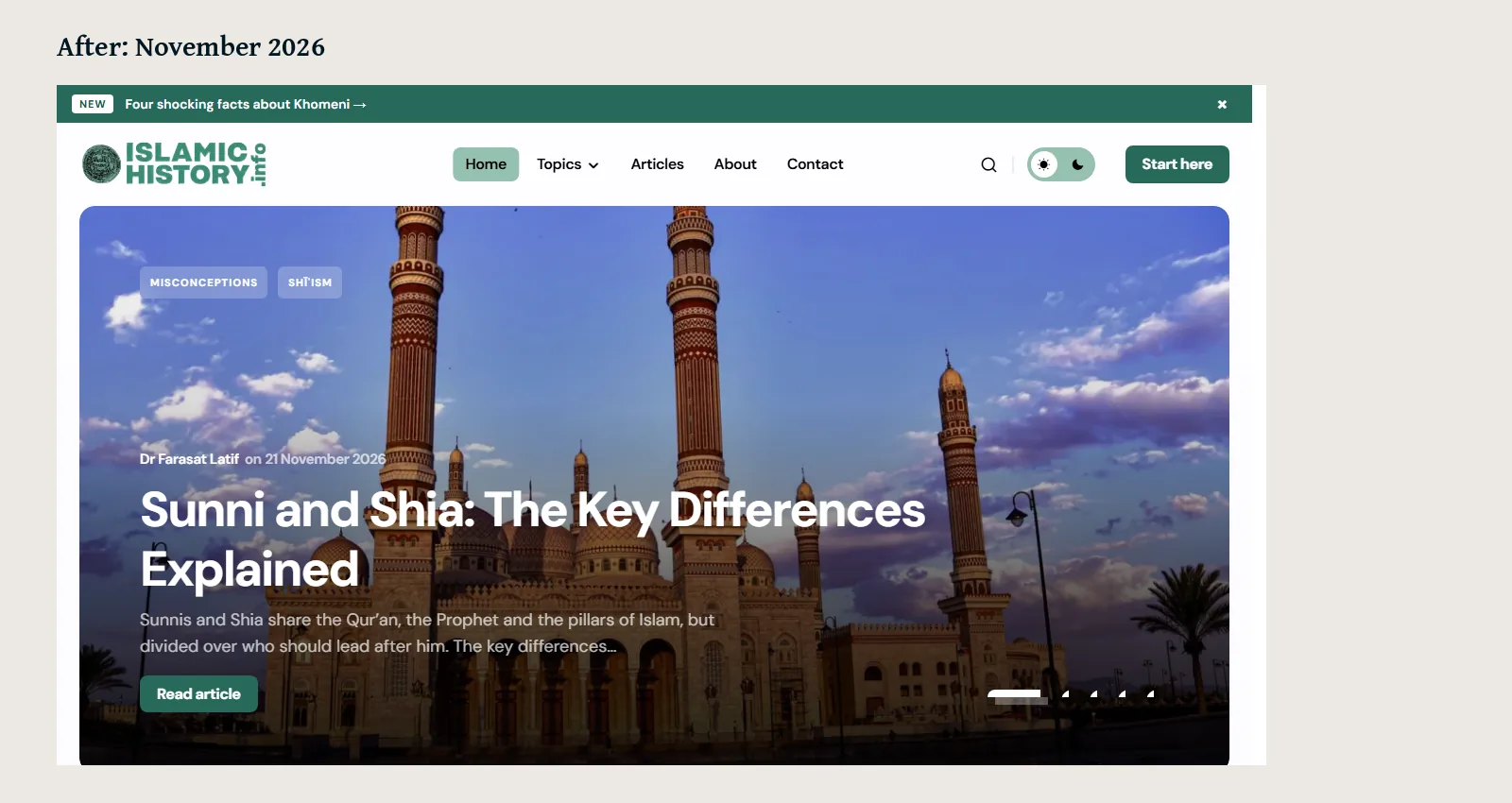
The live site’s main menu, as visitors see it.
islamichistory.info
- HomeFeatured article, topics, latest
- TopicsEleven subject areas
- Shīʿism
- Misconceptions
- Biographies
- Caliphs
- Sunnah
- ArticlesEvery article, newest first
- AboutFounder and editor
- Editorial policy
- Start here
- ContactWorking form
Design work
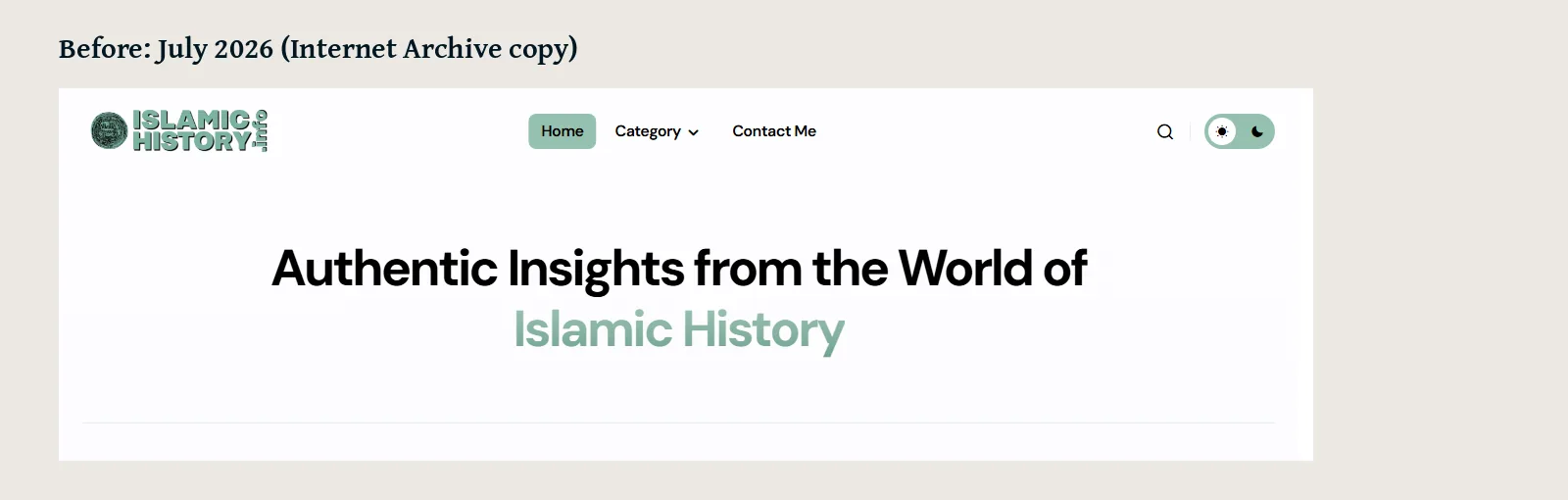
Before and after
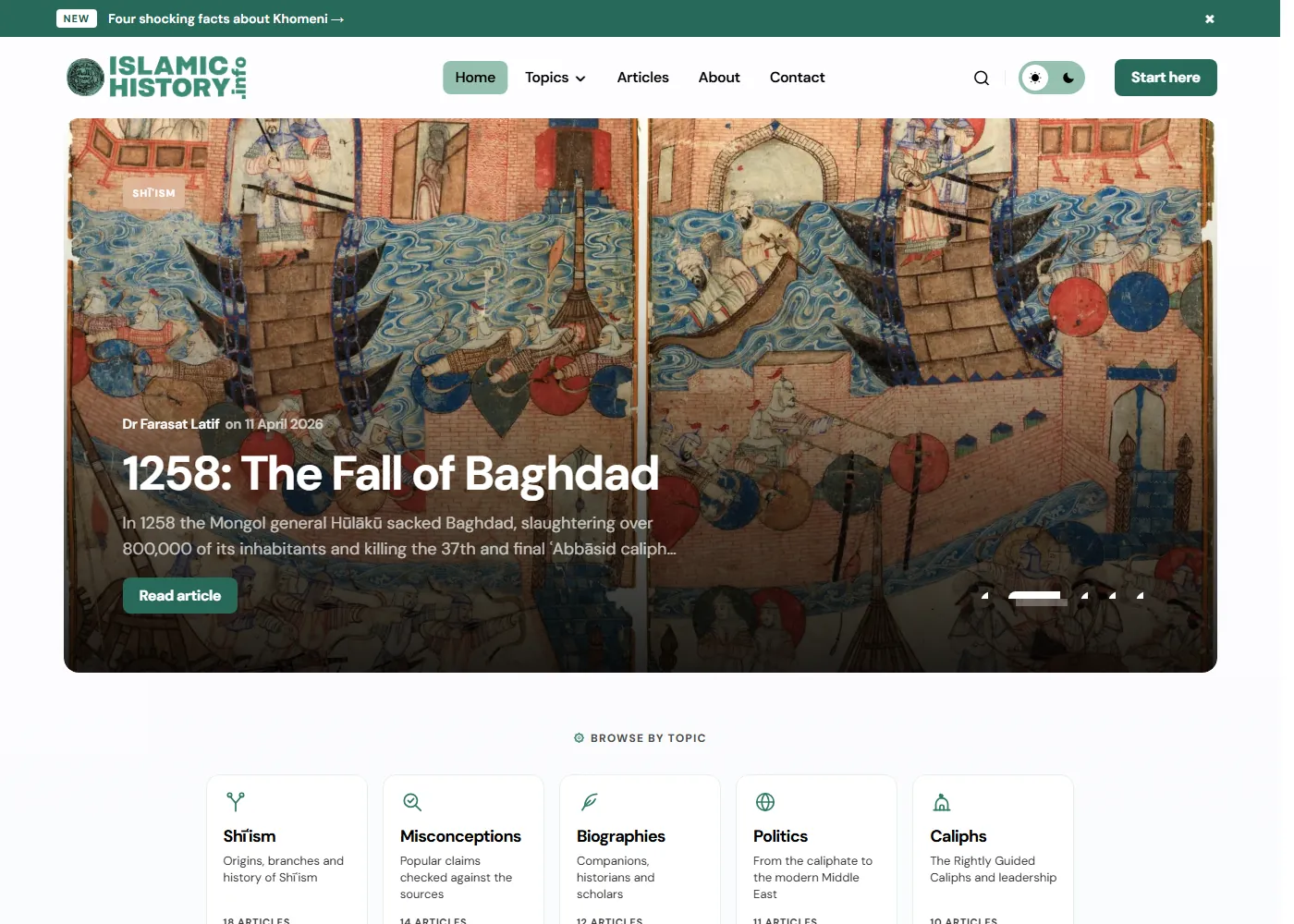
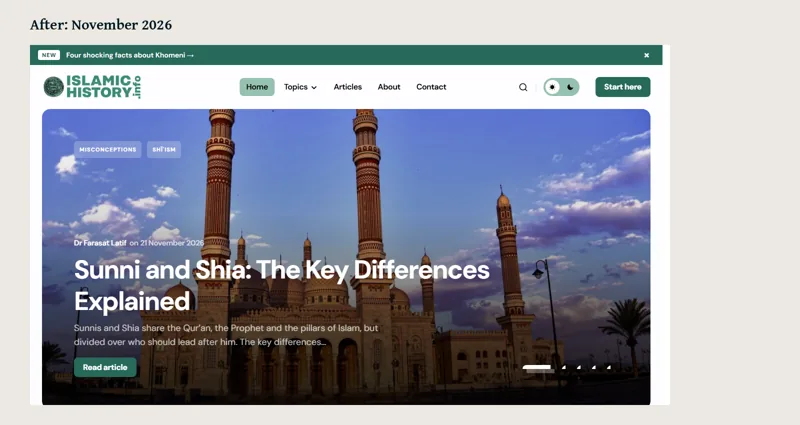
The top of the homepage before the work began (from the Internet Archive’s copy, July 2026) and today. Same logo and colours; a clearer menu, a featured article and topic cards.
Design work
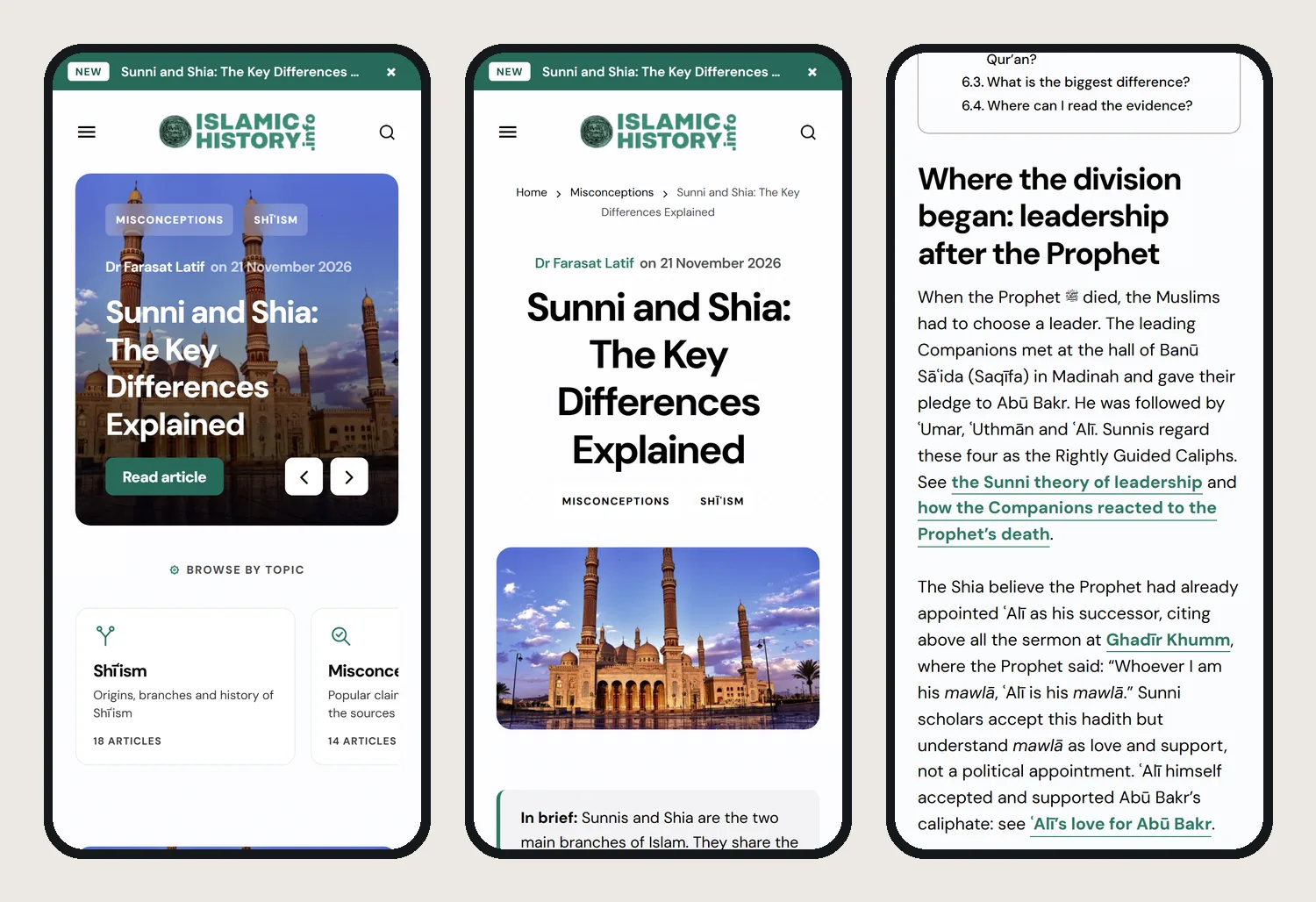
On a phone
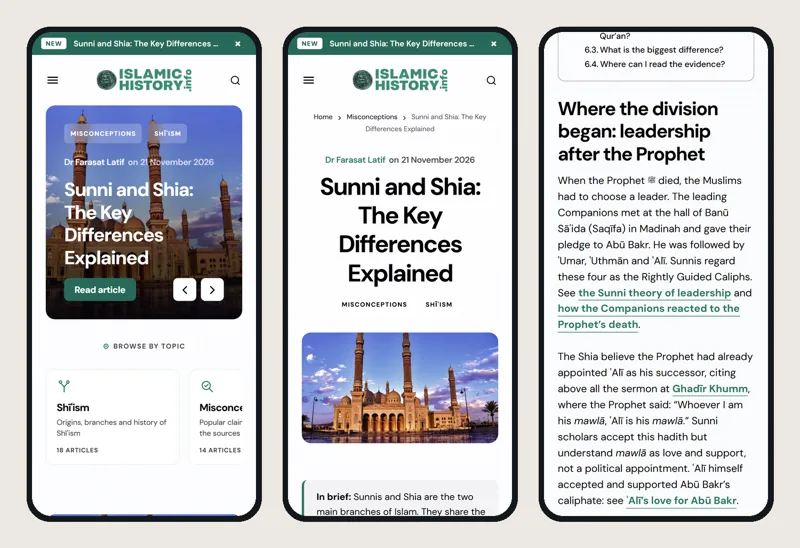
The homepage and an article as most readers see them: the article opens with an “In brief” summary, then the text with links to related articles.
Inside the site
Page by page
Full-length screenshots of the live website, taken on 22 November 2026. Scroll inside the frame to see each whole page.
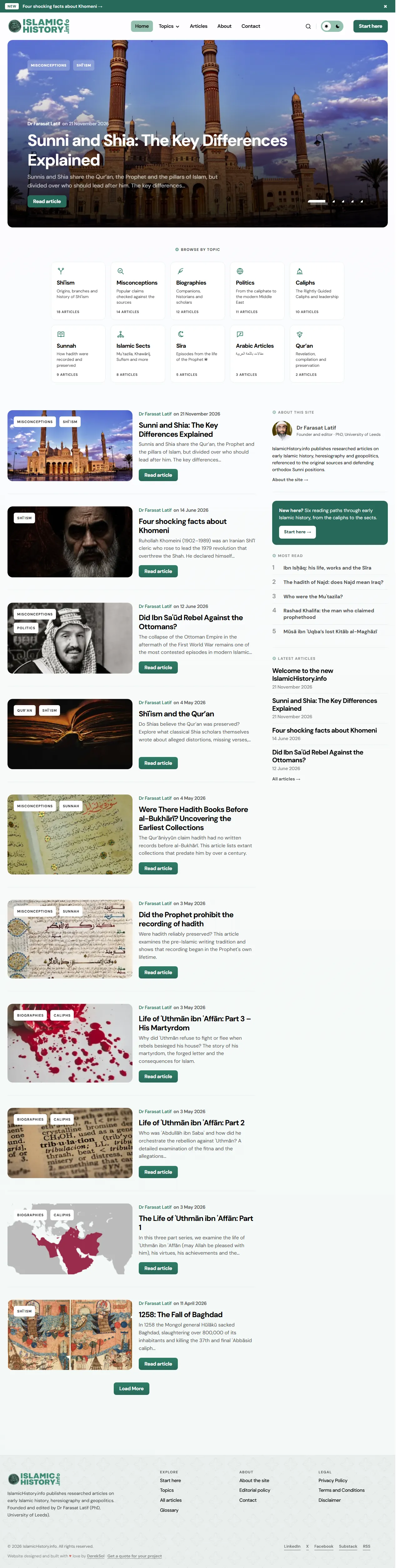

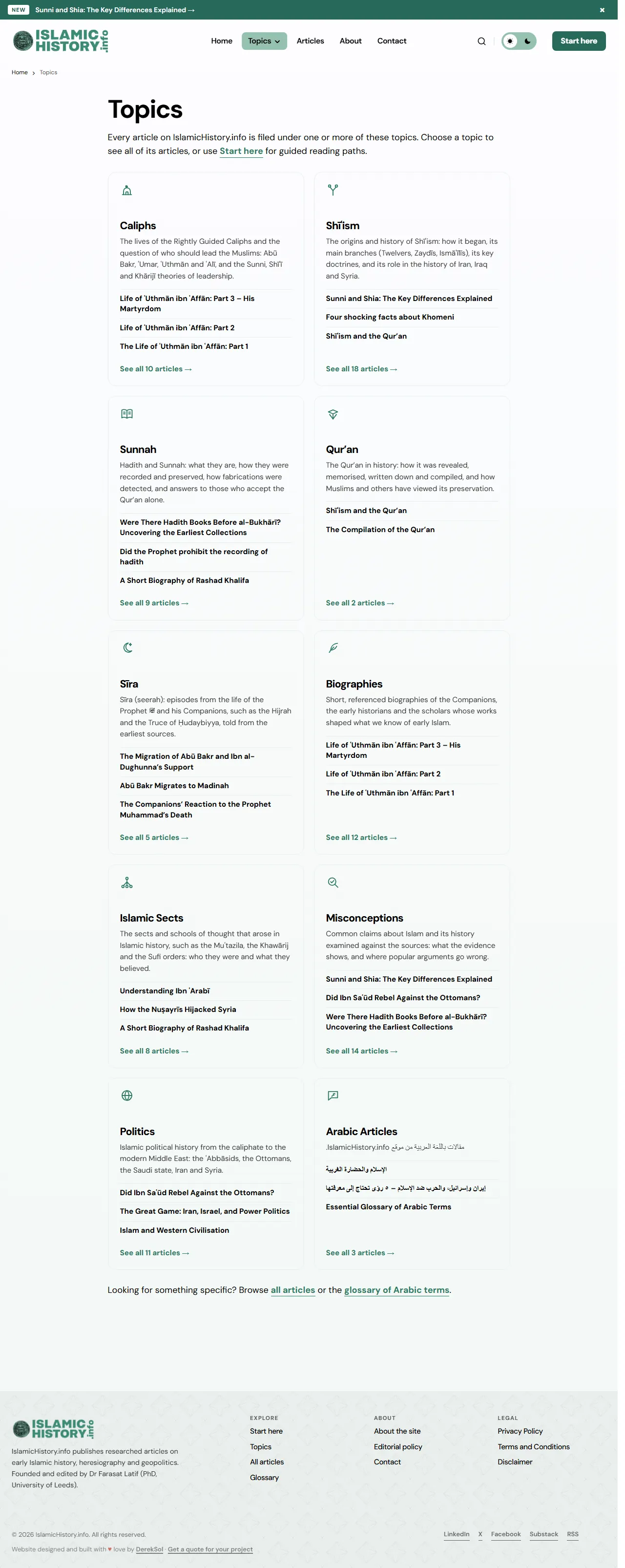
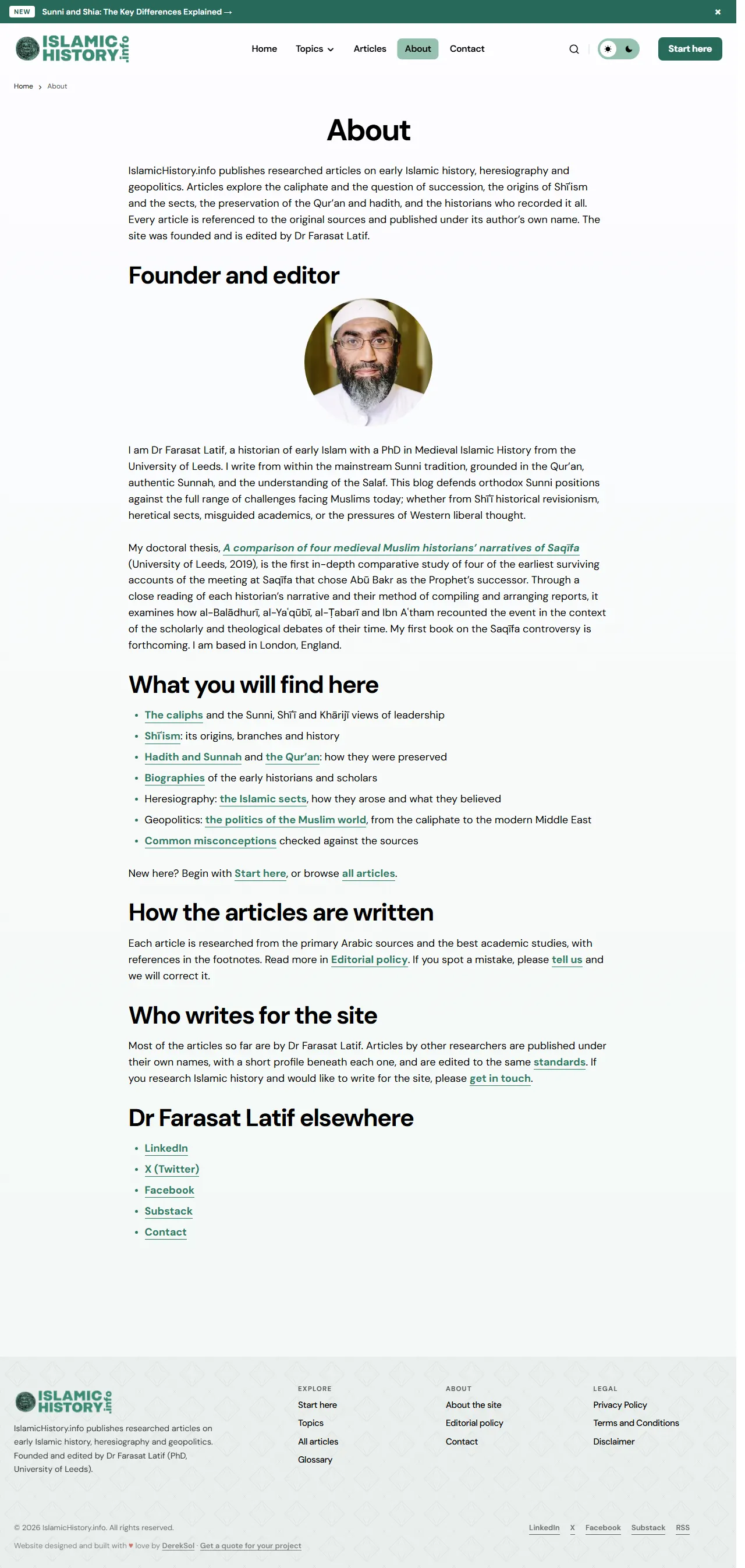
Scroll inside the frame to read a page. Use the tabs, arrow keys or swipe to switch pages.
Handover
What the client received
The client receives a record of the work as well as the work itself.
- Audit reportA plain-language report of what was found, with a numbered work order
- Fix logEvery live change: what it was, before and after, and how to undo it
- Spelling style sheetThe rules for names and terms, so new articles follow the same system
- BackupsA full backup from before the work, and a regular backup schedule
IslamicHistory.info and its logo, artwork and content belong to the client. Shown here as an example of our work.
Start here
Need something
like this?
Tell us about your project and mention IslamicHistory.info. We’ll explain how we’d approach yours and what it would cost.
- A reply from a real person
- Written quote before work starts
- You own everything at handover